Wir präsentieren: Auto-Fill für Integrationen
Wir stellen vor: Auto Fill fu00fcr Integrationen u2014 Ihre Integrationsschritte konfigurieren sich jetzt ab dem ersten Befu00fcllen automatisch richtig. Neue Nodes sind auu00dferdem bereits mit dem passenden Befu00fcllungsansatz pro Feld vorkonfiguriert, sodass Sie sofort loslegen ku00f6nnen, ohne manuell nachbessern zu mu00fcssen.
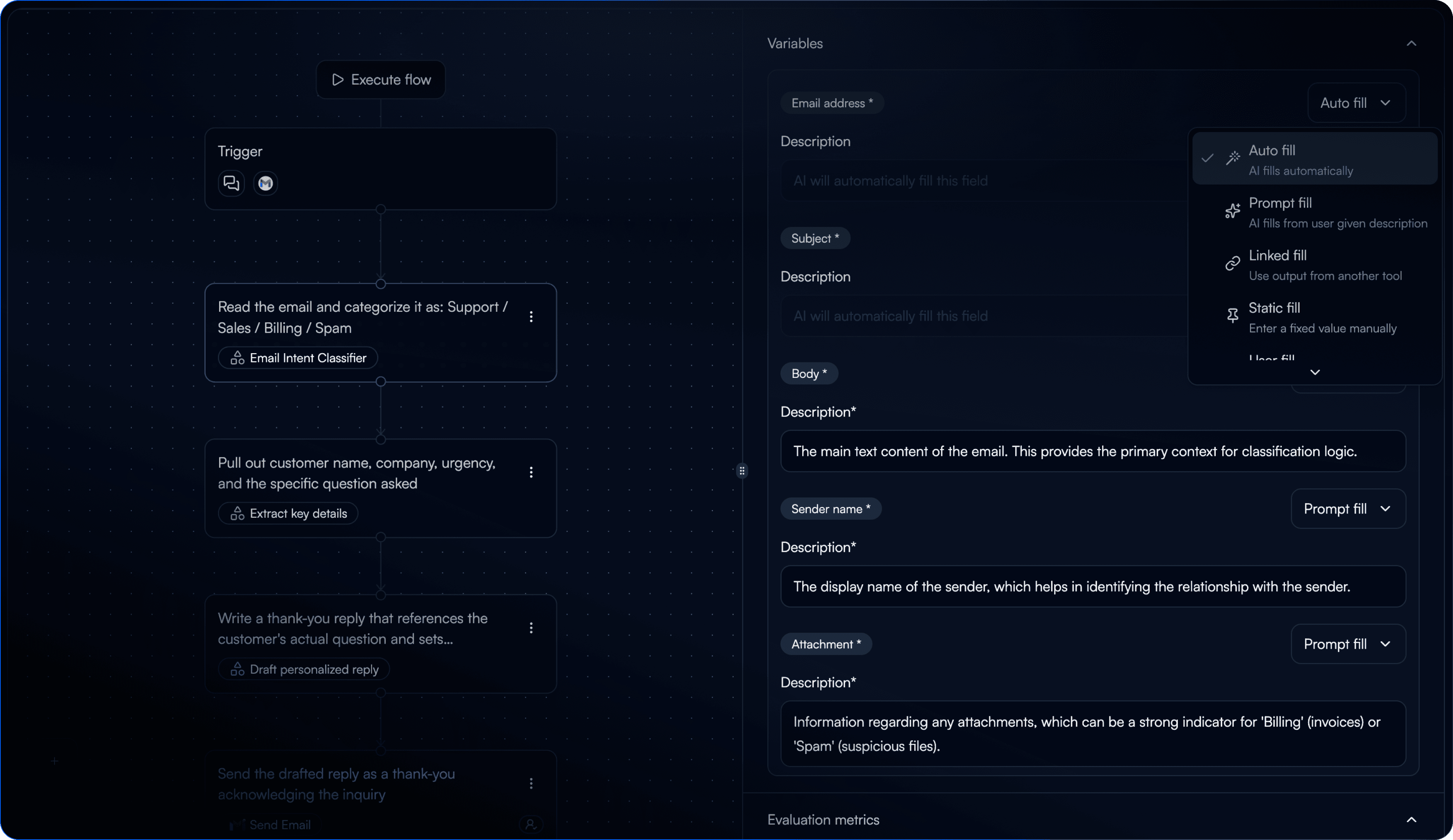
Pru00e4zises Befu00fcllen beim ersten Versuch u2014 kein mu00fchsam korrigieren falscher Werte Feld fu00fcr Feld mehr
Neue Integrations-Nodes starten direkt mit dem passenden Befu00fcllungsmodus fu00fcr jedes Feld
ID- und Auswahlfelder werden vorausschauend mit echten Werten aus Ihrem verknu00fcpften Account befu00fcllt
Der Befu00fcllungsmodus lu00e4sst sich jederzeit pro Feld u00fcber die neue Option "Auto" fu00fcr einzelne Felder u00fcberschreiben
Verbesserungen
Filtern von Tasks nach Datum auf der Task-Listenansicht
Anzeige von Task-Input-Daten als JSON-Viewer auf der Task-Detailseite
Die Integrationssuche funktioniert jetzt direkt u00fcber das Eingabefeld u2014 ohne vorher auf "Integration hinzufu00fcgen" klicken zu mu00fcssen
"Entry Node" im Dropdown-Menu00fc fu00fcr verknu00fcpfte Variablen in "Trigger" umbenannt
Fehlerbehebungen
Das Umbenennen einer Variable in einem GPT-Node u00fcberschreibt keine anderen Prompt-Variablen mehr
Der Gmail-Trigger lu00f6st keine Tasks mehr aus, wenn er auf "Inaktiv" gesetzt ist
Der E-Mail-Trigger funktioniert nach dem Entfernen und erneuten Hinzufu00fcgen der Integration wieder einwandfrei
Der Outlook-Ordnerfilter lu00f6st nach der Konfiguration nun korrekt aus
Chat-Verlu00e4ufe werden nun zuverlu00e4ssig gespeichert
Die Flow-Seite zeigt nicht mehr bei jedem Klick einen Ladebildschirm an