Disparadores en flujos y mejoras en la plataforma
Nodo de Activación (Trigger Node)
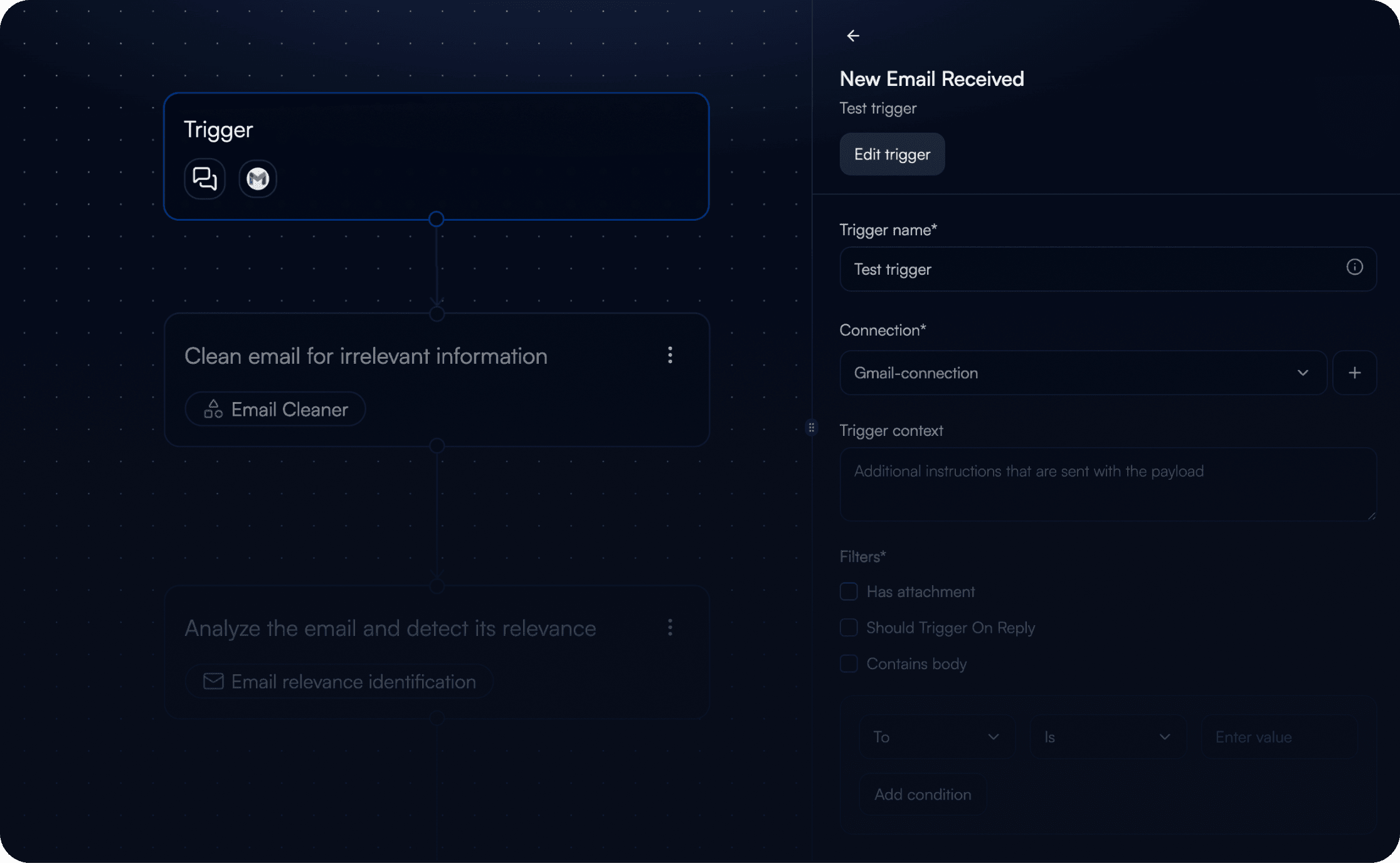
Ya está disponible un Nodo de Activación dedicado en el lienzo de flujos, lo que proporciona a los usuarios visibilidad directa y control total sobre la configuración y el esquema del activador. Acceda a los datos del activador desde el propio flujo y asocie los valores entrantes directamente a las entradas de las herramientas posteriores.
Los datos del activador ahora son visibles y utilizables directamente en el lienzo de flujos
Utilice cualquier valor del activador en los pasos siguientes, sin necesidad de mapeo manual
Defina qué datos del activador utiliza su flujo y cómo se estructuran
Mejoras
La selección del modelo de IA ahora es consistente en todos los ajustes: elija una vez y funcionará en todas partes
Se han perfeccionado las notificaciones de éxito, las pantallas de carga y los mensajes de error en toda la plataforma
La carga del consumo de créditos del agente ahora es más rápida
Corrección de Errores
Se ha corregido la visualización incorrecta de los valores de créditos por tarea
Se ha solucionado el problema por el cual el activador de Gmail omitía correos: ahora se capturan de forma fiable todos los envíos de candidatos
Se ha corregido el fallo por el que el botón 'Conectar' no respondía al configurar un nuevo activador de correo electrónico
Se ha solucionado la visualización de una vista vacía tras la creación de nuevas tareas